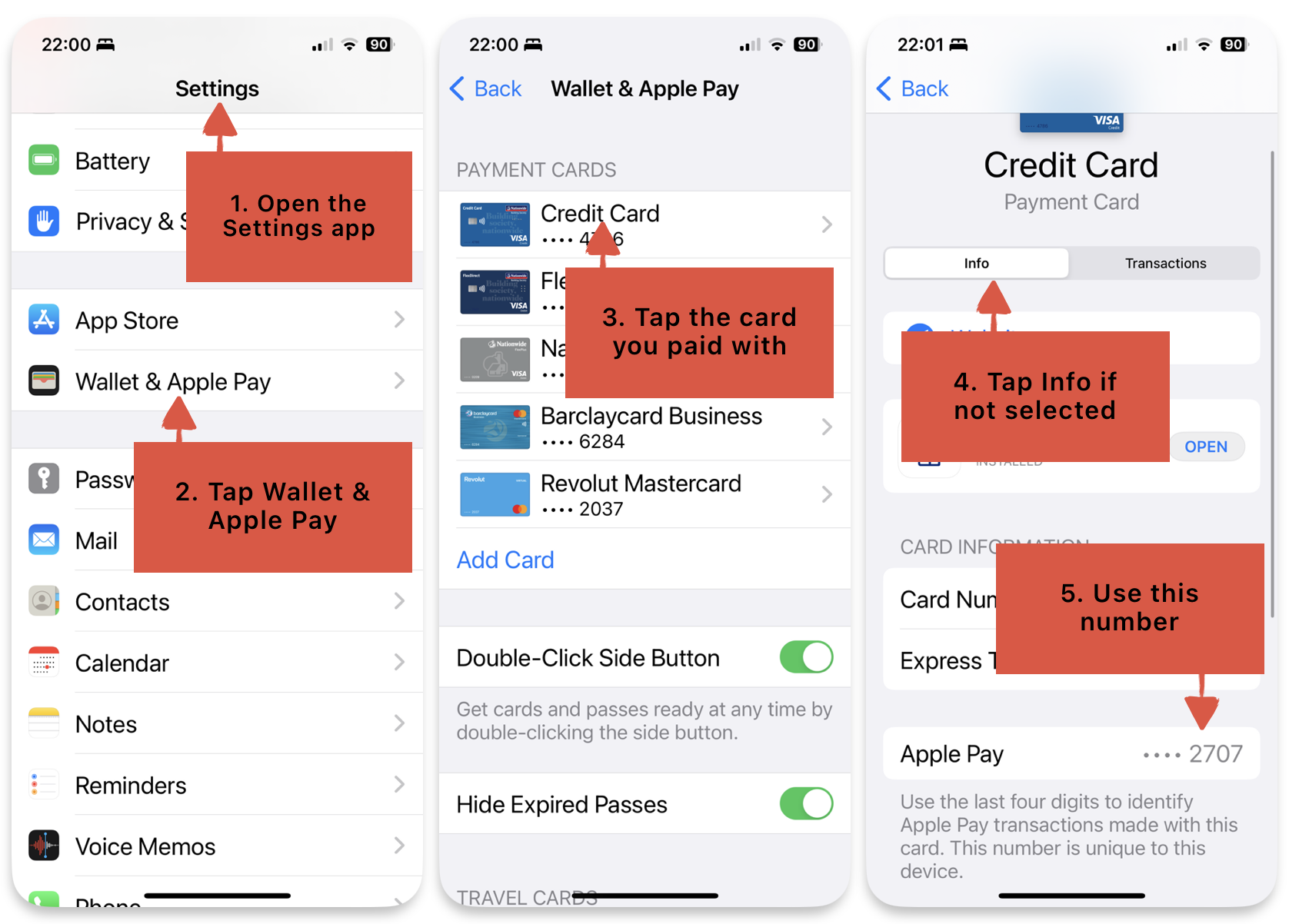
- If you paid by Apple Pay, please enter your Apple Card Number instead. To find this please see:
https://support.apple.com/en-us/HT212269

On your iPhone
- 1. Open the Wallet app and tap Apple Card.
- 2. Tap the card number icon
 , then authenticate with Face ID, Touch ID, or your passcode.
- 3. Next to Card Number, you can see your virtual card number.
If you paid by Google Pay
You can see your actual last four digits if you open the Google Pay app, go to Payment, tap on the card number then scroll to virtual card number.